
Basic math
Addition, subtraction, multiplication, division, brackets, and calculation history.
Calc Only is the official Android app for a simple calculations for Android. No account, no app-hosted servers, no ads: your math stays on your phone.
Current version 1.4.0 (build 6) · Android
This page is the official home of the Calc Only Android app. If you want a lightweight calculator for Android — Calc Only keeps everything on your device. Download free from Google Play; no sign-up required to use your calculator.
Factual, citation-friendly facts about Calc Only. A longer plain-text companion lives at llms.txt (also listed in sitemap.xml). robots.txt allows common AI crawlers for this path.
com.beukot.calconly). Current documented version 1.4.0 (build 6).com.beukot.calconlyOrganization, SoftwareApplication, FAQPage, WebPage, WebSite).A distraction-free calculator app for Android: fast to open, easy to use, built for people who want offline calculator without accounts or subscriptions.
Addition, subtraction, multiplication, division, brackets, and calculation history.
Percent, roots, powers, logs, trig (and inverses), rounding, constants, and complex numbers in decimal mode.
Keep, M+, Use, Remove, and Clean — park values and reuse them in multi-step work.
Quick unit pairs (length, mass, temperature), reverse with ⇄, and CONV to apply.
Number bases DEC / BIN / OCT / HEX, FN / BIT keypad layouts, DEG / RAD / GRAD (or u8 / i8 / u16 / i16 in BIT), NORM / SCI, and ALG / RPN — each on a compact cycle chip.
AND, OR, XOR, NOT, shifts, WRAP, byte lo/hi, nybble split/merge, and signed ↔ unsigned for 8- and 16-bit widths.
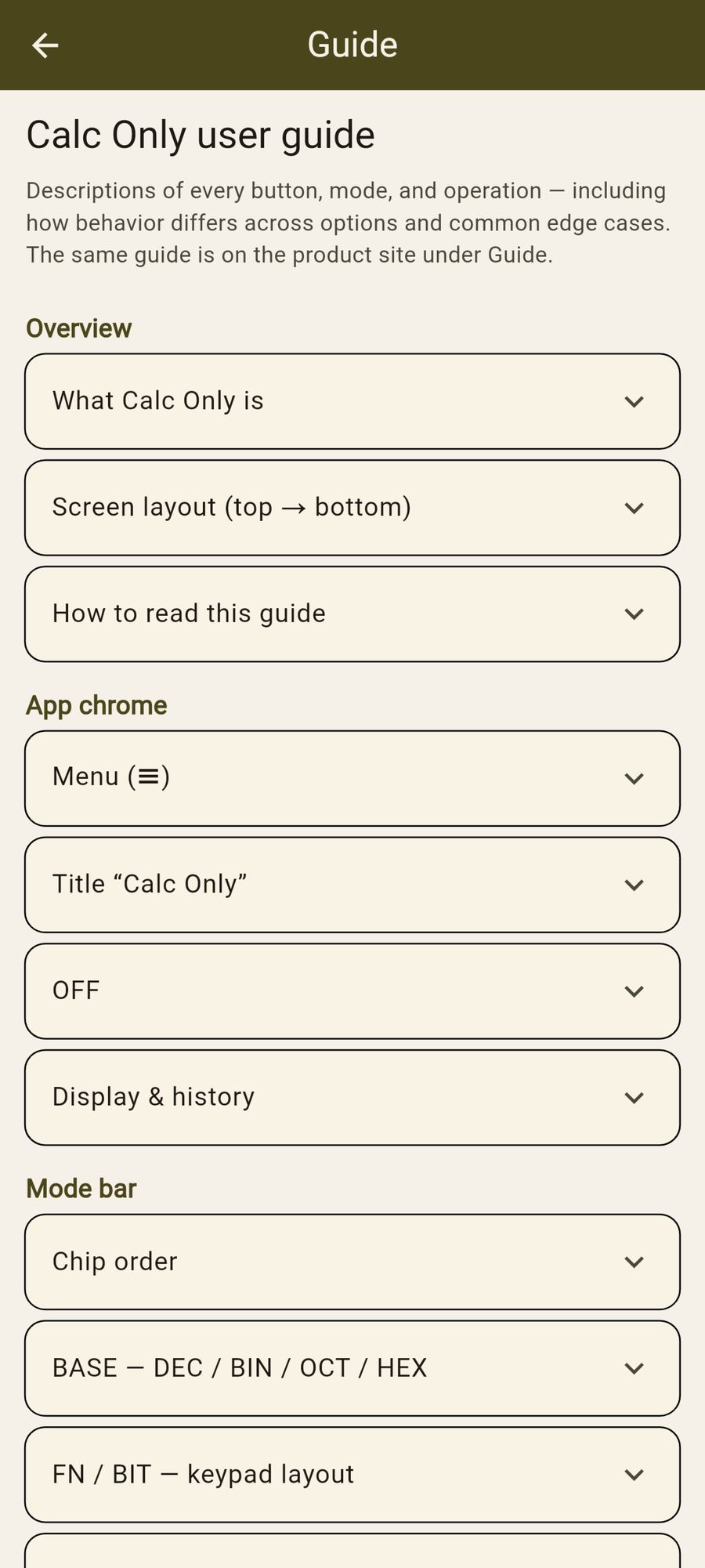
Menu → Guide explains every button and mode — also on this page under Guide.
Geometry by shape, named theorems, and trigonometric solvers with diagrams. Eval fills missing values; Clean clears fields.
Theme (System / Dark / Light), leading colors, display styles (Classic to Phosphor), button shapes, and a live Settings preview.
No sign-up. Calculations stay on your device. Accept or revoke the privacy policy from the app.
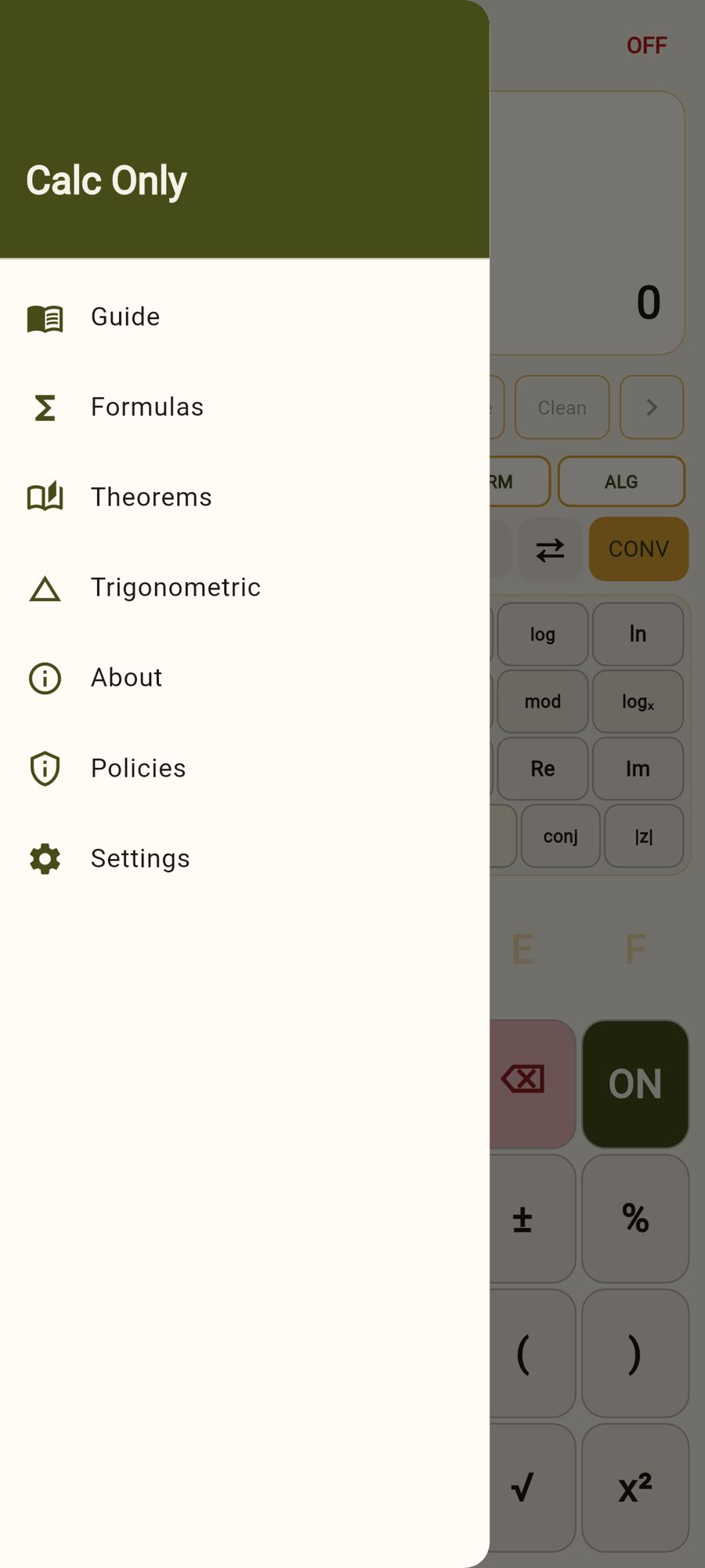
Drawer: Guide, Formulas, Theorems, Trigonometric, About, Policies, Settings — full appearance controls and in-app licenses.
Same reference as Menu → Guide in the Android app: every control, mode difference, math note, and important edge case. Expand a topic to read it.
Calc Only is an offline-first Android calculator: everyday arithmetic, scientific functions, number bases, complex numbers (decimal), ALG/RPN entry, FN/BIT keypads, partial results, quick unit conversion, geometry Formulas / Theorems / Trigonometric solvers, and appearance options (theme, leading color, display style, button shape).
No account, no ads, no cloud for your math. Opening the privacy policy, product site, related links, or (optionally) Play Store uses the network only for those taps.
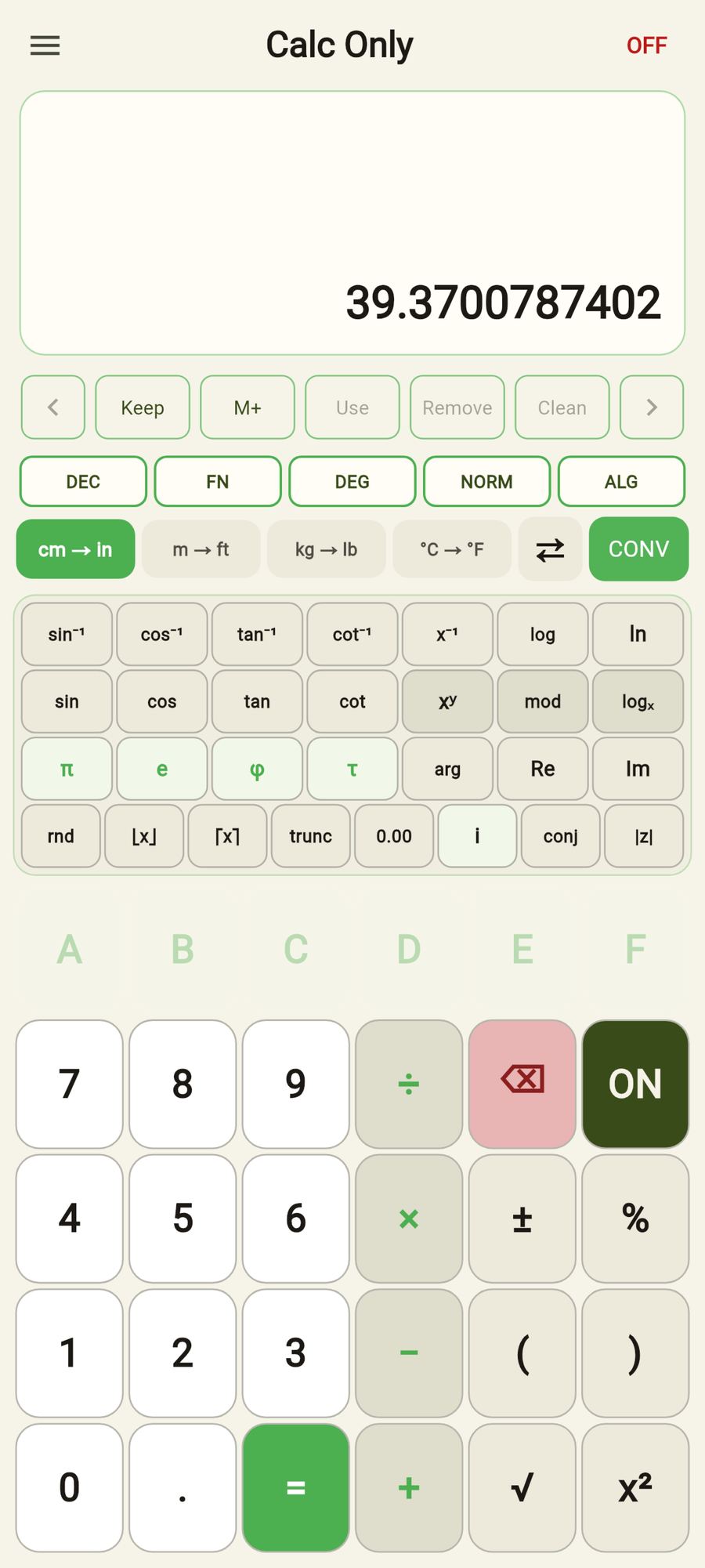
1. App bar: menu, title “Calc Only”, OFF.
2. Display: history, current expression/value, partial chips.
3. Partials bar: Keep, M+, Use, Remove, Clean, ← →.
4. Mode bar: five cycle chips.
5. Conversion bar: unit pairs, ⇄, CONV.
6. Keypad: FN or BIT strip on top, main pad below.
Each topic names a button or mode, what it does, math notes where useful, and how behavior changes across options (ALG vs RPN, FN vs BIT, DEC vs HEX, etc.). “Error” means the display shows Error until ON or a new entry clears it.
Opens the drawer: Guide, Formulas, Theorems, Trigonometric, About, Policies, Settings.
Guide is this document. Formulas solves geometry measures by shape. Theorems covers named results (e.g. Pythagorean). Trigonometric covers ratios, identities, and triangle laws. About shows version and product links. Policies lets you re-read or revoke privacy acceptance. Settings chooses appearance theme, leading color, display style, and button shape.
Tapping the title opens https://beukot.com/app/calconly/ in the system browser. It looks like plain title text (not a styled hyperlink).
Saves session state (partials + selection, all modes, conversion pair/direction, current value) then closes the app. On next launch that state is restored.
ON is different: it only resets the working calculation, not partials or modes.
The large value is the current entry / last result. Above it, history lines record completed steps. In ALG, an expression line may show pending infix. In RPN, that line is labeled Stack and shows values bottom → top after Enter and after ops that push results.
Long-press the main value, a partial chip, or an RPN stack entry to peek the same number in DEC, HEX, OCT, and BIN (release to dismiss). In BIT mode, the peek also shows unsigned and signed decimal for the active bit width (u8/i8 or u16/i16), with HEX/BIN padded to width.
Mode summary (base · FN/BIT · angle or width · NORM/SCI · ALG/RPN) appears with the display chrome so you always know the active options.
Left → right: BASE · FN/BIT · ANGLE or WIDTH · NORM/SCI · ALG/RPN.
Each chip cycles on tap. There is no long-press menu.
Controls digit entry and how values are shown.
• DEC: digits 0–9, decimal point allowed; complex numbers available.
• BIN: digits 0–1 only; no decimal point; real/integer focus.
• OCT: digits 0–7; no decimal point.
• HEX: digits 0–9 and A–F; no decimal point.
Digits that are illegal in the current base are disabled on the pad.
Sample: 25₁₀ → HEX shows 19, BIN shows 11001.
Edge: non-real complex values stay readable in DEC form; BIN/OCT/HEX formatting of non-reals yields Error.
FN shows the scientific strip (trig, logs, powers, complex helpers).
BIT replaces that strip with bitwise / 8–16-bit tools.
The third chip changes meaning with the layout:
• FN → DEG / RAD / GRAD (angle for trig).
• BIT → u8 / i8 / u16 / i16 (integer width for bit ops and bit display).
Main pad (digits, + − × ÷, =/Enter, …) stays available in both layouts.
Applies to sin, cos, tan, cot and inverses when the argument is real.
Math:
• DEG: full circle = 360°; sin(90) = 1.
• RAD: full circle = 2π; sin(π/2) = 1.
• GRAD: full circle = 400ᵍ; sin(100) = 1.
Internally, real angles convert to radians for the math library, then inverse results convert back to the active unit.
Sample: sin(90) in DEG → 1; same key sequence in RAD → ~0.894 (sin of 90 rad).
Complex trig uses complex definitions (angle chip still shown under FN).
Sets the bit width and signedness for BIT ops and for interpreting HEX/BIN/OCT bit patterns while BIT is active.
• u8: 0…255 (8-bit unsigned).
• i8: −128…127 (8-bit two’s complement).
• u16: 0…65535.
• i16: −32768…32767.
Sample: HEX FF with u8 displays as unsigned 255 in DEC; switch →i (or cycle to i8) and the same bits mean −1.
Shifts mask the count to width−1 bits (e.g. u8 shift count & 7).
Affects how decimal magnitudes are printed (mainly DEC).
• NORM: ordinary decimal (e.g. 1234.5).
• SCI: scientific style when appropriate (coefficient × 10ⁿ).
Does not change the stored value—only presentation. Not the same as ALG/RPN (entry) or FN/BIT (keypad strip).
ALG (algebraic / infix): type 2 + 3 × 4, use brackets, = evaluates.
RPN (reverse Polish): type 2 Enter 3 × (stack: push with Enter, operators consume stack).
Differences:
• ALG: × ÷ ^ bind tighter than + − (1+2×3=7).
• In RPN the = key is labeled Enter and pushes the entry onto the stack (shown above the main value).
• ( and ) are disabled in RPN.
• Binary ops pop two stack values (or stack Y + entry X), push the result.
• Unary ops (±, √, …) on a committed stack value: pop → apply → push.
• Enter after the second operand is fine: 2 Enter 3 Enter + → 5.
Sample ALG: 2 + 3 = → 5; also 1 + 2 × 3 = → 7.
Sample RPN: 2 Enter 3 Enter + → stack 5; ± → stack −5.
Stores the current value as a new partial and selects it. Partials are numeric (Complex); chips reformat when you change base or NORM/SCI.
Adds the current value to the selected partial. If none is selected, behaves like Keep (creates and selects).
Loads the selected partial into the working value. Disabled when nothing is selected. Tap a chip (or ← →) to select.
Remove deletes the selected partial. Clean clears all partials.
Edge: Remove/Use need a selection; Clean does not.
Moves selection among partial chips. Useful when several values are parked for multi-step work.
Quick pairs: cm↔in, m↔ft, kg↔lb, °C↔°F.
Tap a pair to select it. ⇄ (or swipe on the active pair) reverses direction. CONV applies the conversion to the current real value.
Math notes:
• in = cm / 2.54; cm = in × 2.54.
• ft ≈ m × 3.280839895.
• lb ≈ kg × 2.2046226218.
• °F = °C × 9/5 + 32; °C = (°F − 32) × 5/9.
Edge: conversion expects a real current value; complex/Error is not converted.
Enter the current number. A–F appear on the HEX digit row and are enabled only in HEX (and as allowed by base rules).
After = or a unary result, starting a digit usually begins a new entry (classic calculator overwrite).
Enabled only in DEC. BIN/OCT/HEX are integer/radix entry without a point.
Binary arithmetic. ALG: pending operator until the next number and =.
RPN: operate on stack Y and X.
Division by zero → Error. Works on complex values in DEC.
ALG: evaluate the pending expression.
RPN: Enter — push the entry onto the visible stack. Binary ops pop two values and push the result; ± / √ and other unaries on a committed stack value pop → apply → push.
Label switches automatically with ALG/RPN.
Deletes the last character of the current entry when editing a number; otherwise clears toward a safe zero/empty entry state.
Resets the working calculation (value, pending ops, error, RPN stack as applicable). Does not clear partials, modes, or conversion settings.
Negates the current value (multiplies by −1). On the main pad always; also on the BIT strip utility row.
Divides the current value by 100 (x → x/100). Unary; not “percent of” chaining against a previous total unless you combine it with other ops yourself.
ALG only. Build grouped expressions, e.g. (2+3)×4.
A trailing operator before ) is dropped: (2+3+) → 5.
Disabled in RPN (postfix needs no parentheses).
√: principal square root. Negative reals in DEC can yield imaginary results (e.g. √(−1) → i).
x²: square (z×z), including complex.
Both appear on the main pad; BIT strip also exposes them for convenience.
Real inputs use DEG/RAD/GRAD. tan/cot undefined near odd multiples of π/2 (or 90° / 100ᵍ) → Error.
Sample: DEG cos(60) → 0.5; RAD cos(π/3) → 0.5.
Results are returned in the active angle mode.
Real asin/acos domain is [−1, 1]; outside that, complex definitions may apply in DEC. Out-of-domain / undefined cases → Error.
• x⁻¹: reciprocal 1/x (0 → Error).
• log: base-10 logarithm.
• ln: natural logarithm.
• xʸ: power (binary); ALG: enter base, xʸ, exponent, =.
• mod: remainder (binary).
• logₓ: log base x of y (binary); order follows the engine’s binary entry.
Logs of non-positive reals use complex extensions in DEC when defined; otherwise Error.
• π ≈ 3.14159…
• e ≈ 2.71828… (Euler’s number)
• φ = (1+√5)/2 golden ratio ≈ 1.61803…
• τ = 2π
Also available on the BIT strip utility row.
Applied per component for complex values.
• rnd: nearest integer.
• ⌊x⌋ floor: toward −∞.
• ⌈x⌉ ceil: toward +∞.
• trunc: toward 0.
• 0.00: round to two decimal places.
Sample: ⌊−1.2⌋ → −2; trunc(−1.2) → −1.
Enabled in DEC only (disabled in BIN/OCT/HEX).
• i: imaginary unit.
• conj: conjugate a+bi → a−bi.
• |z|: modulus √(a²+b²).
• arg: argument (angle), respects DEG/RAD/GRAD.
• Re / Im: real and imaginary parts.
Sample: 3 + 4i, |z| → 5; arg in DEG → ~53.13°.
Bitwise ops on the active width, then canonicalized to u8/i8/u16/i16.
• AND / OR / XOR: binary (ALG: a OP b =; RPN: a Enter b OP).
• NOT: unary bitwise complement, masked to width.
Sample (HEX, u8): F0 AND 0F → 00; F0 OR 0F → FF; F0 XOR FF → 0F; NOT 00 → FF.
Binary: value ≪ count or ≫ count. Count is masked to width−1 (u8: count & 7). Right shift is logical on the unsigned bit pattern, then re-canonicalized for signed widths.
Sample (u8 HEX): FF ≪ 1 → FE.
Reduces the current integer modulo the active width (canonicalize into u8/i8/u16/i16 range).
Sample: DEC 256, WRAP in u8 → 0; useful after arithmetic that grew past a byte.
• LO: low byte (value & 0xFF).
• HI: next byte ((value >> 8) & 0xFF).
Sample: HEX 1234 → LO 34, HI 12.
• nL: low nybble (value & 0xF).
• nH: high nybble of the low byte ((value >> 4) & 0xF).
• NIB: binary merge — high nybble ≪ 4 | low nybble (each masked to 4 bits).
Sample: HEX AB → nH A, nL B; NIB with A then B → AB.
Reinterpret the same bit width as signed (→i) or unsigned (→u), switching u8↔i8 or u16↔i16 and canonicalizing the value.
Sample: u8 HEX FF is 255; →i → i8 (−1), still shown as FF in HEX.
Trig and complex keys live on the FN strip. In BIT you keep arithmetic, mod, roots/powers utilities on the strip, and all bit ops—but not sin/i/arg.
Switch FN ↔ BIT anytime; modes and partials remain.
Bitwise tools require real integers. Applying NOT/AND/… to a non-real complex value → Error.
ALG: 10 − 3 × 2 = → 4 (× before pending − as the engine evaluates).
Prefer brackets when unsure: (10−3)×2.
RPN: 10 Enter 3 Enter 2 × − → 4 (explicit order).
ALG: 2 xʸ 8 = → 256.
RPN: 2 Enter 8 xʸ → 256.
ALG (HEX u8): F0 AND 0F = → 00.
RPN: F0 Enter 0F AND → 00.
Common causes: ÷0, tan at asymptotes, log of invalid values, domain errors, mismatched brackets, bitwise on complex, formatting non-reals in BIN/OCT/HEX, overflow/NaN/∞ presentation.
Recover with ON, or start a fresh digit entry after clearing as the UI allows.
Changing base reformats the current real value when possible. Illegal digits become disabled immediately. Complex non-reals belong in DEC.
OFF (and normal process death handling via saved session) restores partials, BASE, FN/BIT, angle or last angle, width, NORM/SCI, ALG/RPN, conversion, and current value. Theme is separate (Settings). Privacy revoke locks the app until you accept again.
The app locks to portrait on phones and tablets so the keypad layout stays stable.
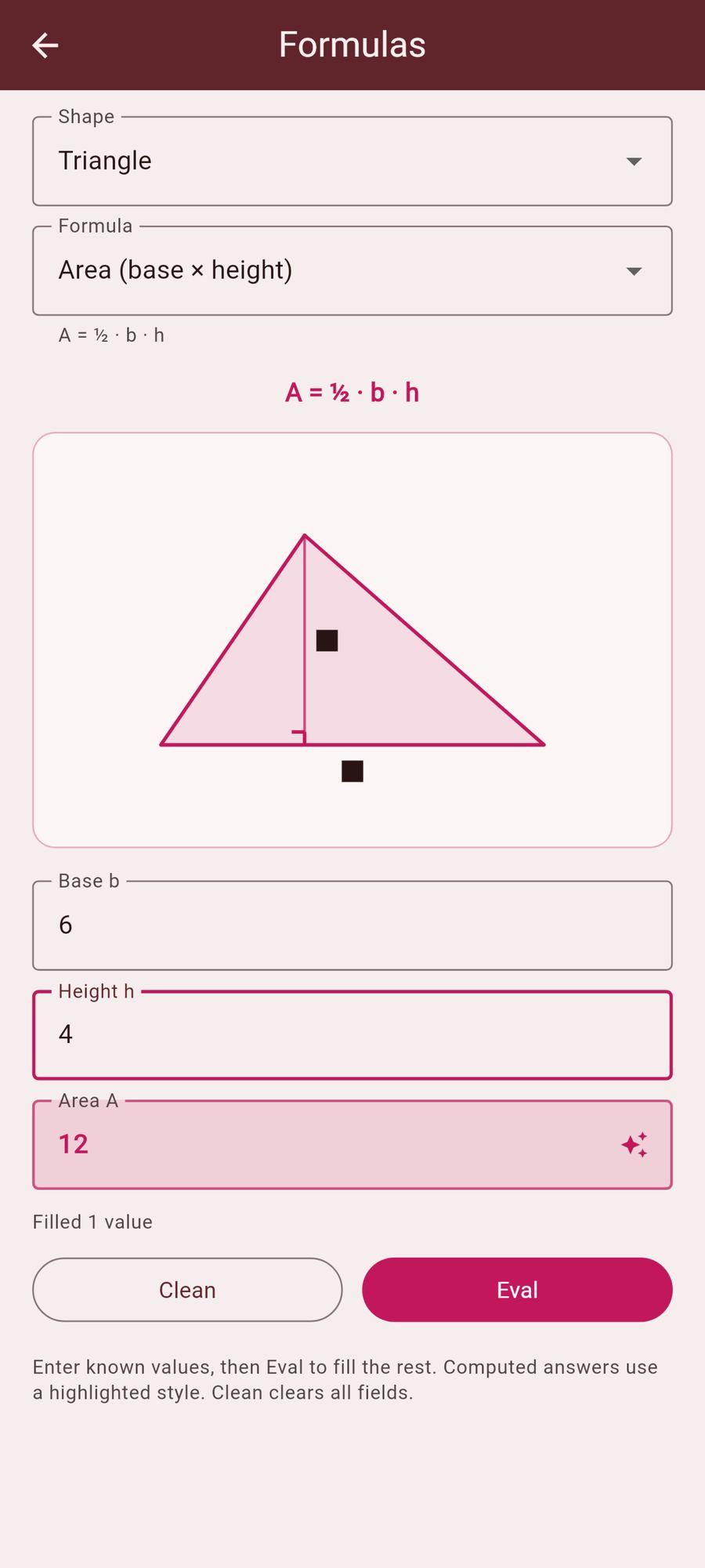
Menu → Formulas. First pick a shape (Triangle, Circle, Rectangle, …), then a formula for that shape (area, perimeter, volume, …).
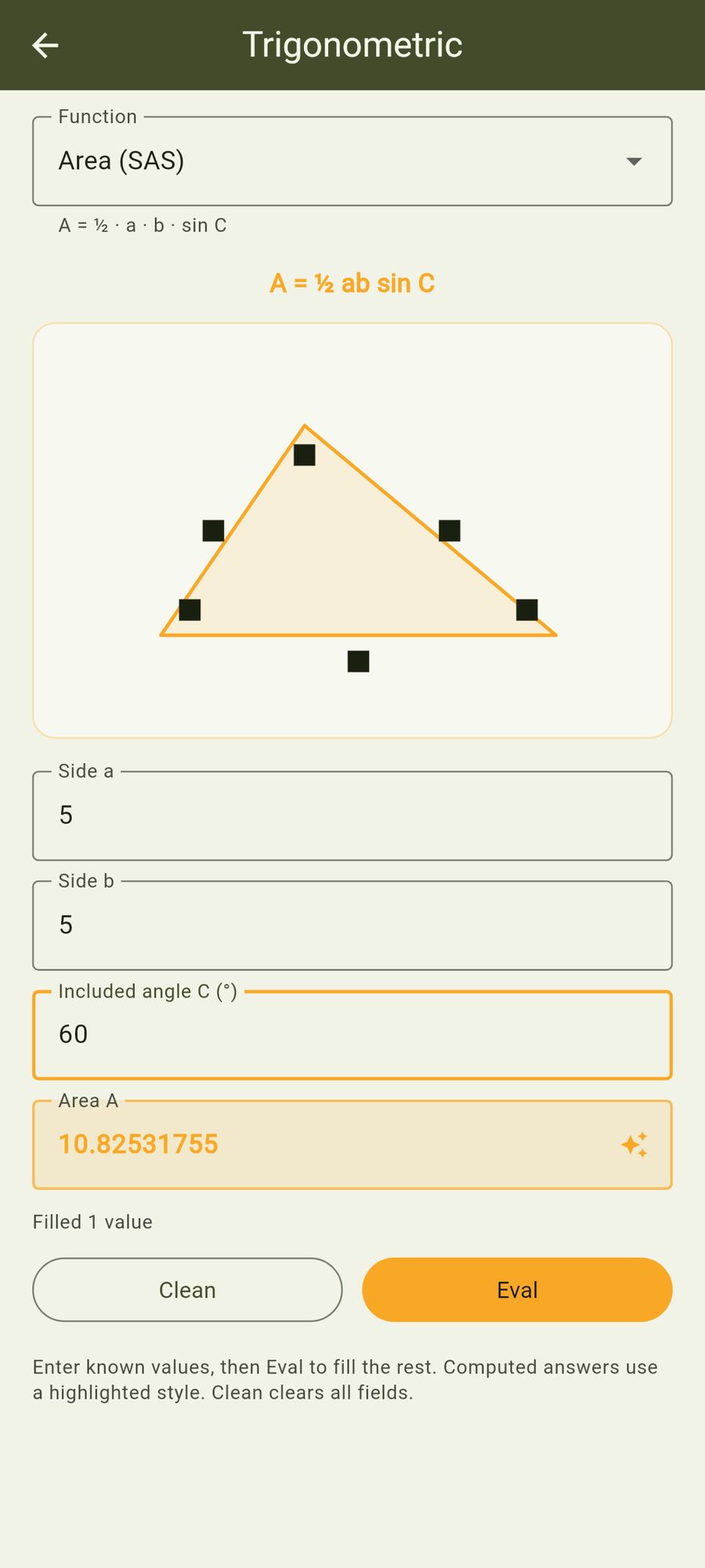
A diagram labels the parameters. Fill any known values, tap Eval to compute missing ones (highlighted differently from typed values), or Clean to clear all fields.
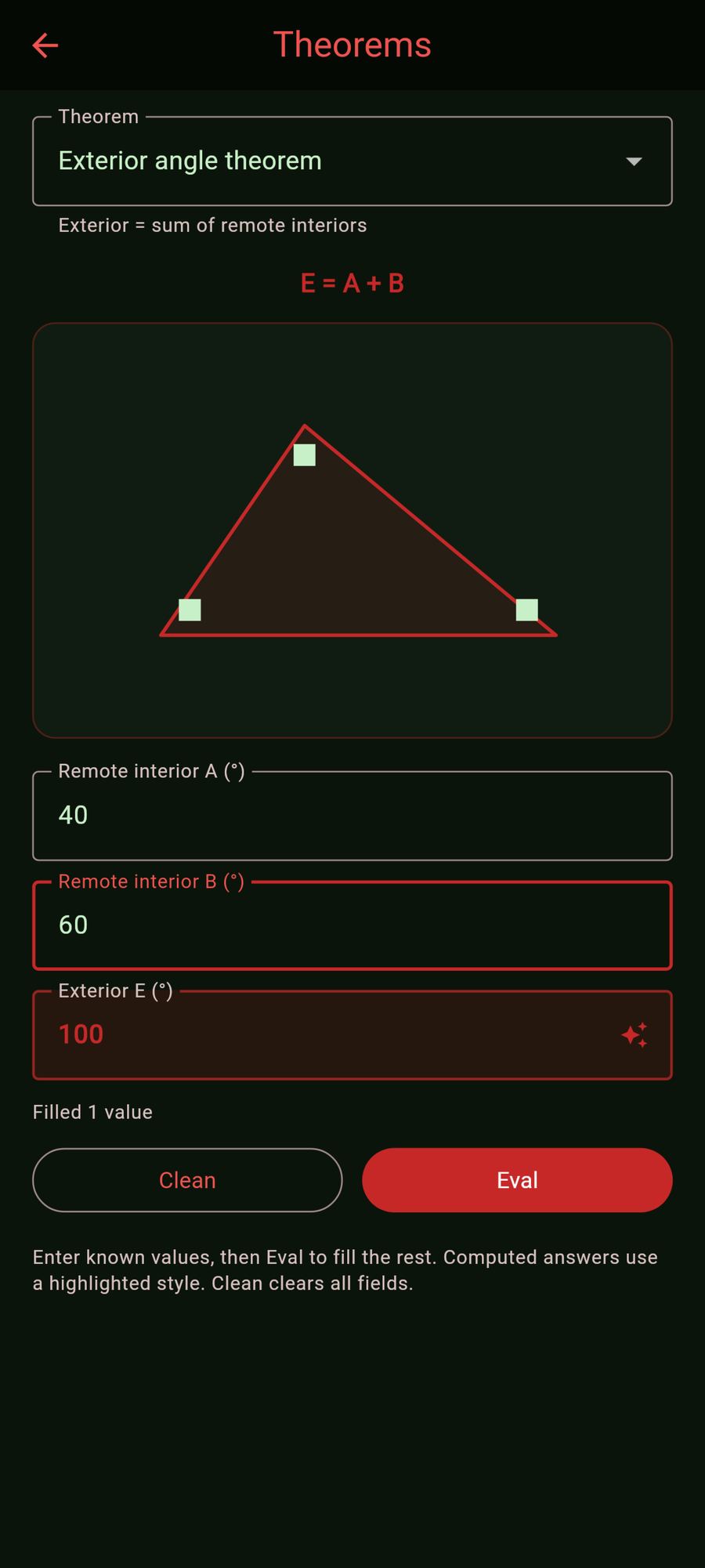
Menu → Theorems. Named geometry results such as Pythagorean theorem, Heron's formula, triangle angle sum, exterior angle, Thales, and isosceles base angles. Same Eval / Clean workflow as Formulas.
Menu → Trigonometric. Right-triangle definitions (sin / cos / tan / cot), reciprocal and Pythagorean identities, degrees ↔ radians, law of sines / cosines, inverse trig, double- and half-angle, SAS area, and more. Same Eval / Clean workflow as Formulas.
System / Dark / Light. Follows device when System is selected.
Accent for keypad highlights, chips, and related chrome. Gold is the brand default; also Blue, Brown, Green, Orange, Pink, Red, Violet, Yellow.
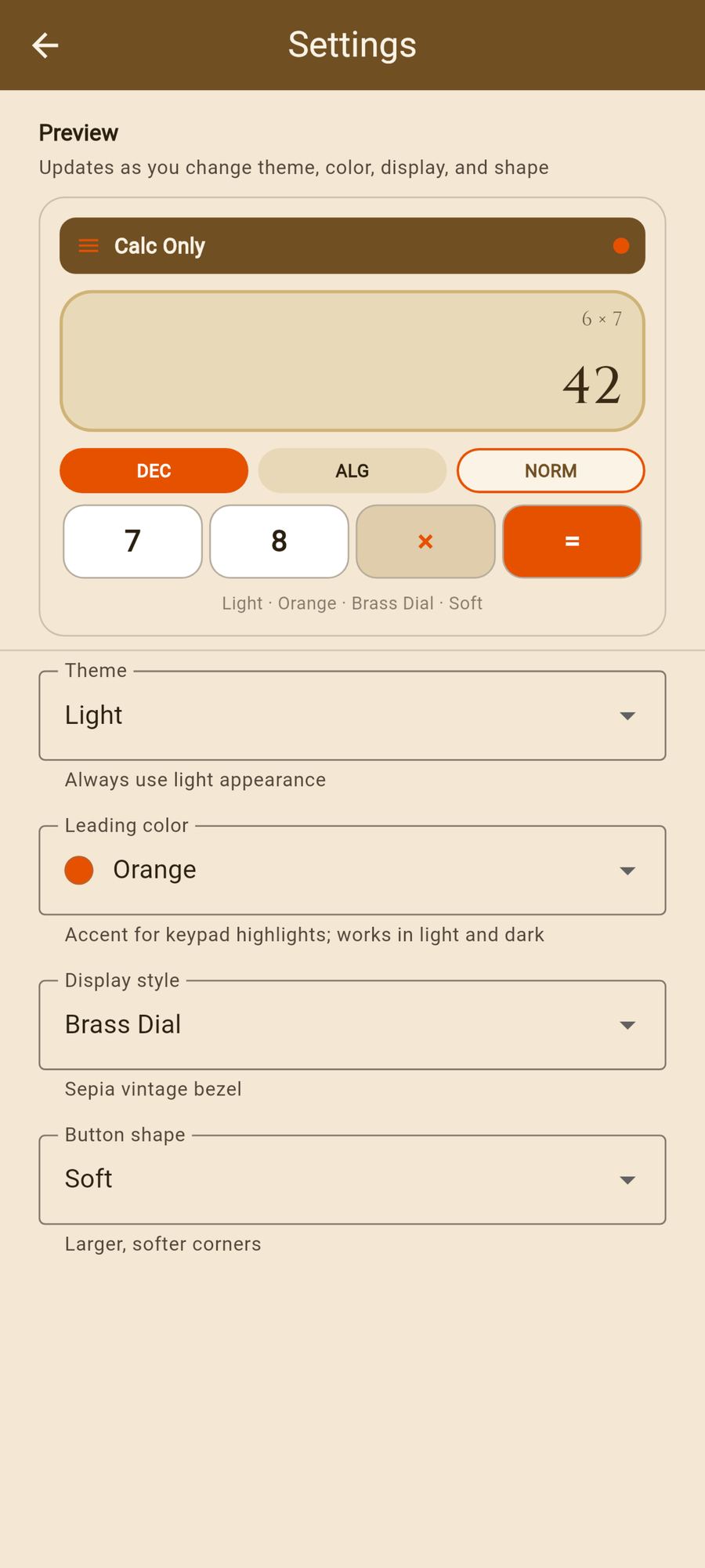
Works in both light and dark appearance. Choice is saved locally and restored on launch. Plate and paper chrome retint to match the leading color and display style (Classic + Gold keeps the brand olive/cream). A live preview at the top of Settings shows theme, color, display, and button shape together.
Look of the calculator readout panel; keypad and scaffold chrome retint to match.
Classic — clean brand panel (default).
Amber Tubes — warm nixie-style digits.
Fluorescent — cyan vacuum-fluorescent glow.
Dot Matrix — pixel grid readout.
Segment LED — seven-segment LED look.
Neon Grid — neon cyberpunk panel.
Brass Dial — sepia vintage bezel.
Phosphor — green phosphor CRT.
Saved locally and restored on launch.
Corner geometry for keypad keys, mode chips, and related controls. Color-agnostic — works with any light/dark, leading color, and display style.
Rounded — balanced rounded keys (default).
Soft — larger, softer corners.
Pill — capsule / stadium keys.
Square — tight, nearly square corners.
Beveled — chamfered, faceted corners.
Saved locally and restored on launch.
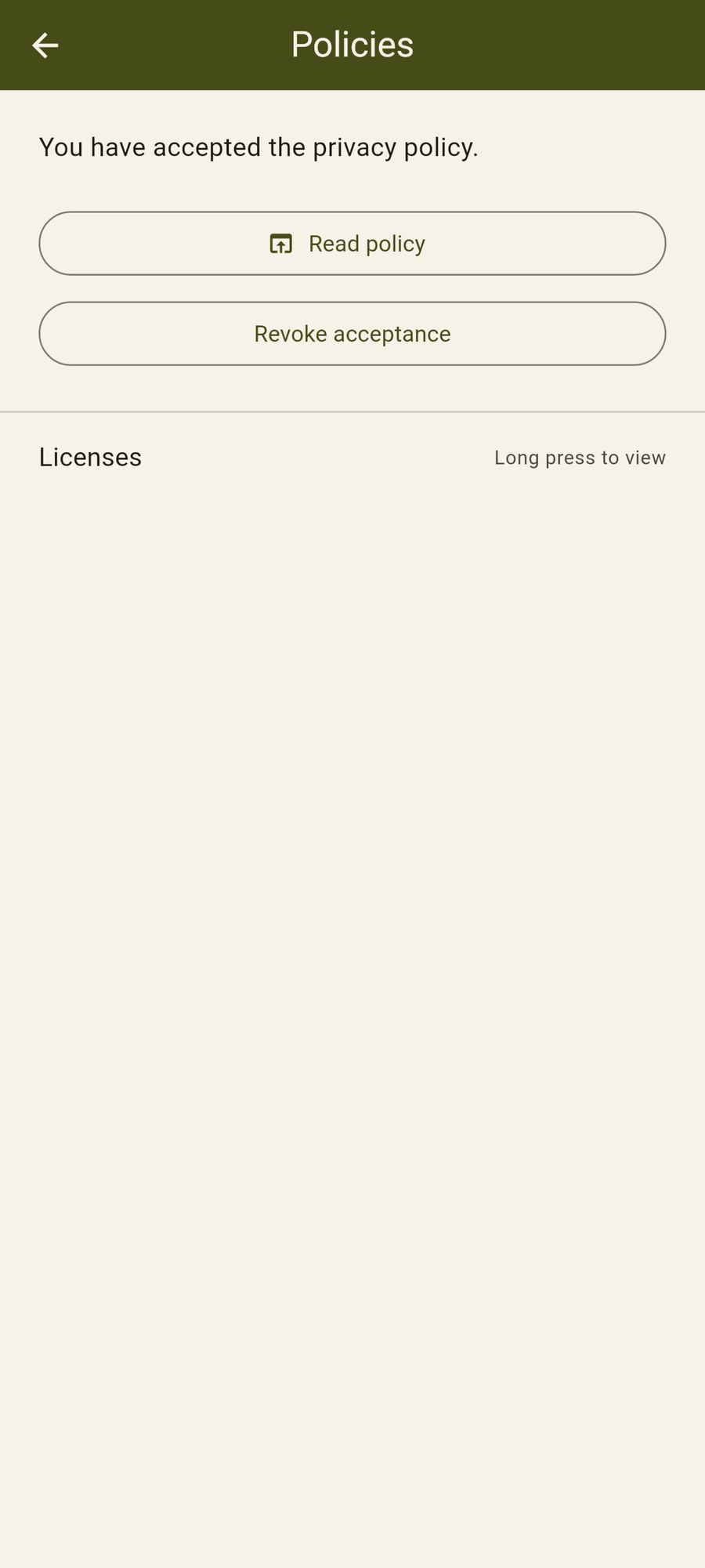
Shows that the current policy version is accepted. Read policy opens the web policy. Revoke immediately requires acceptance again before calculating. Licenses: long-press for Flutter/OS license detail.
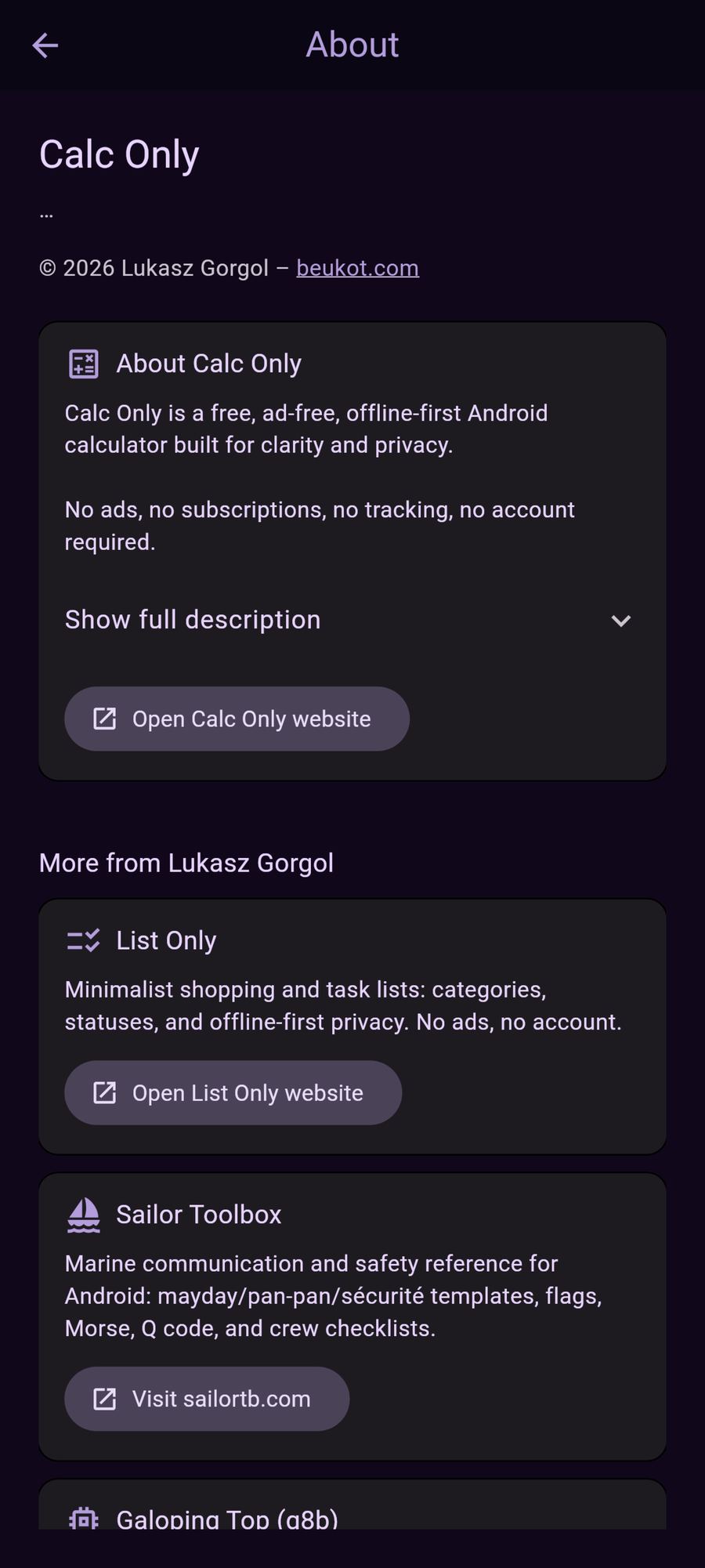
App name, version from the package, copyright, expandable feature list, links to the Calc Only site and related projects (List Only, Sailor Toolbox, Galoping Top, beukot.org).
On Android release builds, after privacy accept, Calc Only may offer to open Google Play when a newer version exists. Skipped in debug builds.
Real UI from the Calc Only Android app. Images load lazily to keep the page fast.
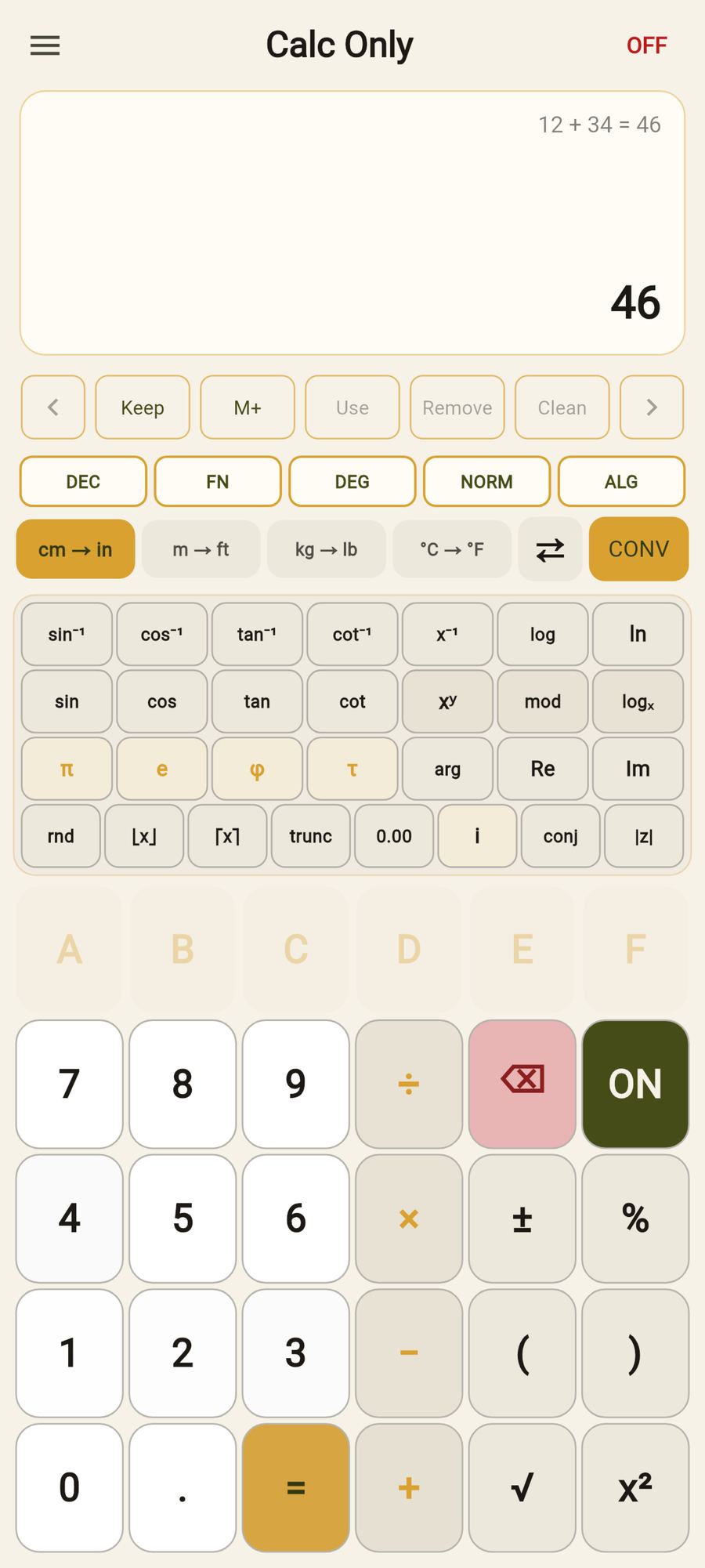
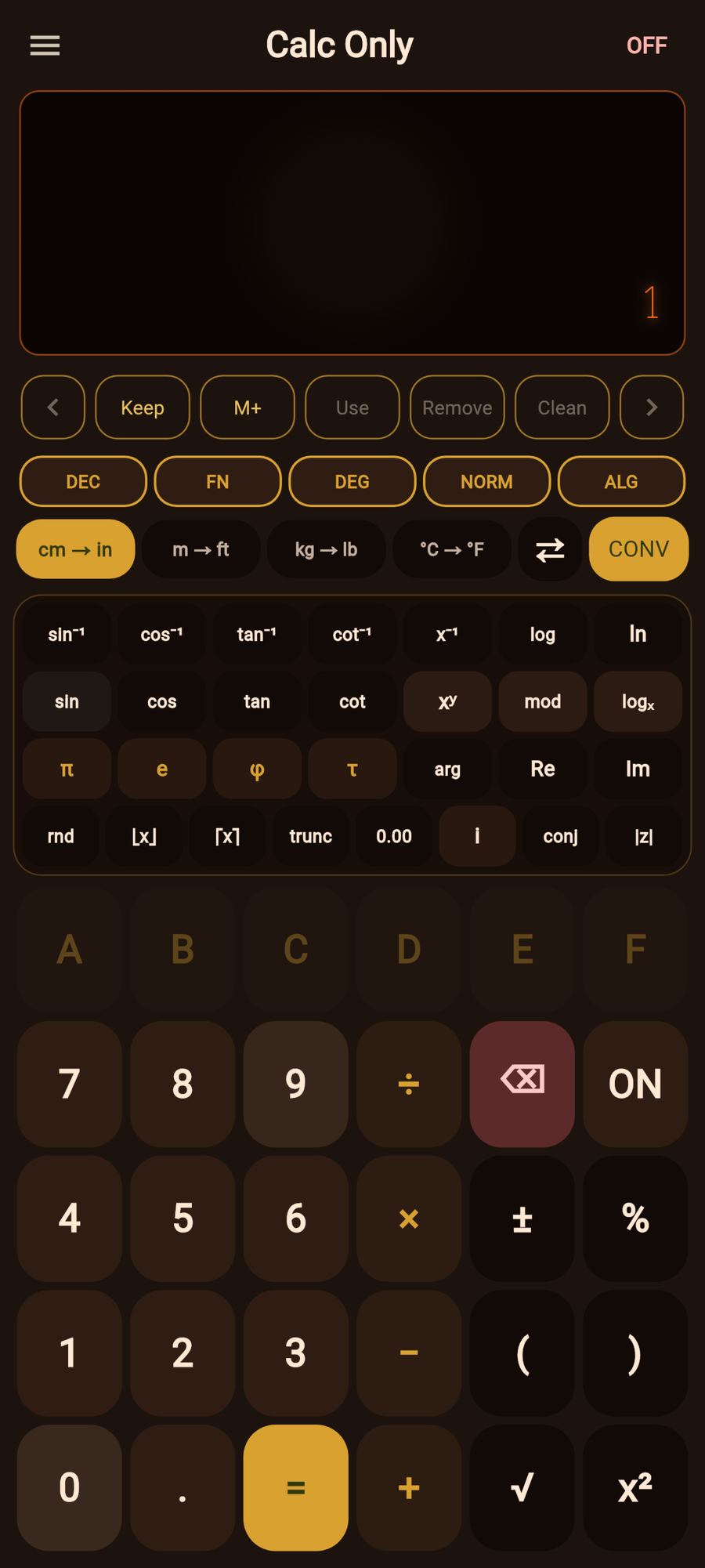
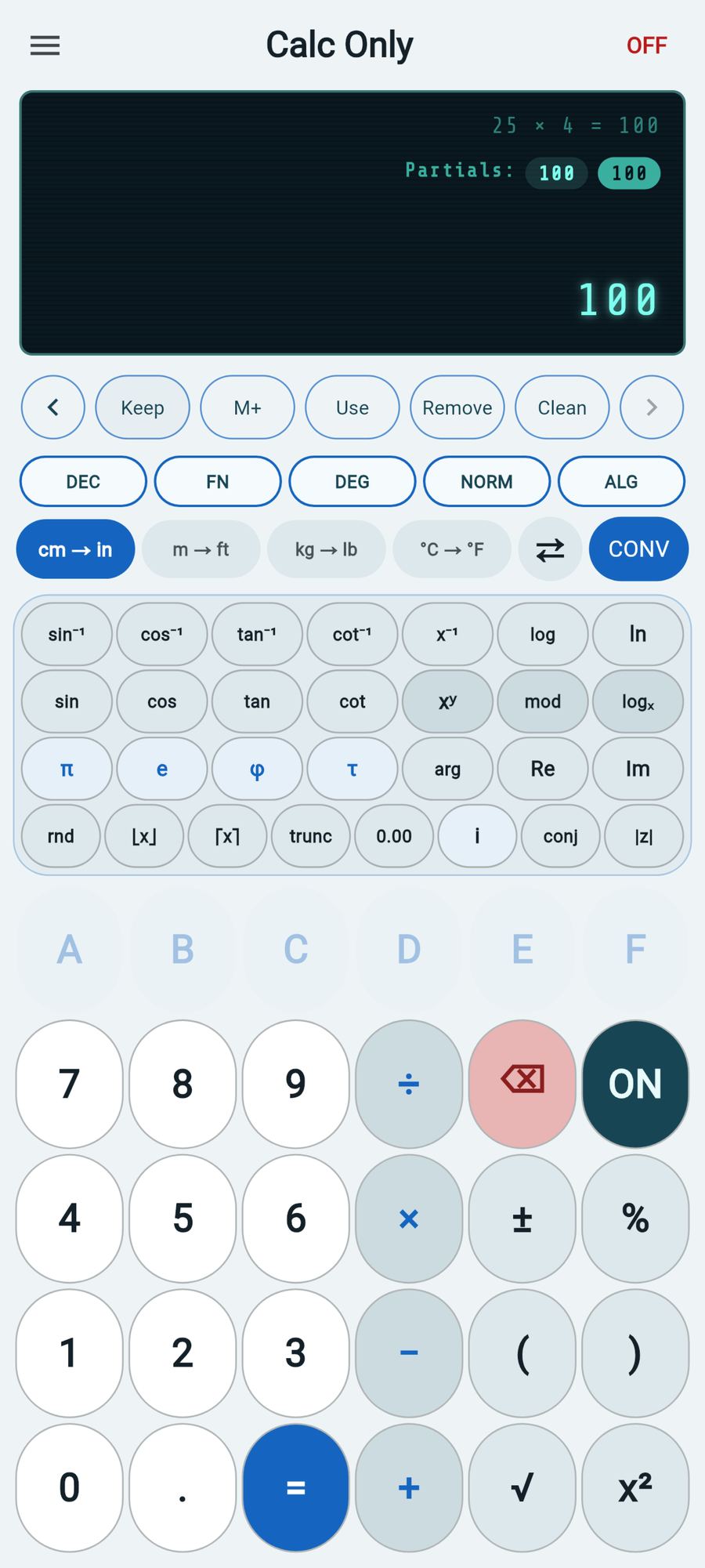
Full version history for Calc Only on Android. Latest version: 1.4.0 (build 6).
1+2×3=7, 10−3×2=4).) is dropped ((2+3+) → 5); (2+3+4) → 9.2 Enter 3 Enter + → 5).Quick answers about the Calc Only Android app, calculator features, and privacy. Structured data matches this section for search rich results.
Calc Only is a free, offline-first Android calculator: basic and scientific math, ALG/RPN entry, FN/BIT integer tools, Formulas / Theorems / Trigonometric solvers, appearance customization, partial results, unit conversion, and privacy-first local storage. No account required.
In the app: open the menu and tap Guide. On this site: see the User guide section.
Yes. Menu → Formulas groups measures by shape. Menu → Theorems covers named results such as Pythagorean and Heron. Menu → Trigonometric covers ratios, identities, and triangle laws. Each screen uses diagrams with Eval / Clean.
Yes. Settings offers System / Dark / Light theme, leading color accents, display styles for the readout (Classic, Amber Tubes, Fluorescent, Dot Matrix, Segment LED, Neon Grid, Brass Dial, Phosphor), button shapes, and a live preview. Plate and paper chrome retint to match.
Yes. Tap the FN / BIT chip to switch the scientific strip for BIT tools: AND, OR, XOR, NOT, shifts, WRAP, byte lo/hi, nybble split/merge, and signed ↔ unsigned. In BIT mode the angle chip becomes u8 / i8 / u16 / i16.
Calc Only is built as a minimal calculator for Android: fast to open, easy to use, with local storage. It suits people who want a straightforward Android calculator without subscriptions or ads.
Download the Calc Only Android app from Google Play (com.beukot.calconly). This site is the official Calc Only product page on beukot.com.
Yes. Calc Only is free to download on Google Play. Core calculator features are not behind a paywall.
No. There is no sign-up or login. Data is stored locally on your Android device.
Data is not sent to Calc Only servers. It stays on your device. See the privacy policy for details.
See the Google Play listing for current minimum and target SDK — Calc Only follows modern Android layout practices including edge-to-edge display on supported devices.
Calc Only is developed by Lukasz Gorgol and published under the Beukot site: beukot.com. Another apps from the same author are List Only, Sailor Toolbox and Galoping Top — see below.
List Only is an Android app for to-do lists and everyday lists: categories, color themes, optional per-category JSON sync to your cloud folder, full JSON export/import, swipe between Active/Cancelled/Completed, and privacy-first local storage. No account required.
Sailor Toolbox is a companion app for sailors and radio students: distress, urgency, and safety message templates; Beaufort wind and Petersen sea state; Morse code and phonetic alphabets (including NATO and Polish); maritime signal flags; Q code; and crew briefing checklists. Polish-language exam prep content is included for UKE certificates (IWC, SRC, LRC).
Galoping Top is an open-source 8-bit CPU emulator and assembler written in Go: multiple CPU implementations (starting with Intel 8008), JSON-driven assembler and emulator configs, interactive debugger, cycle-accurate timing, and verbose execution traces. Source: github.com/lukasz-gorgol/g8b.
beukot.org is the virtual hacker space—a free, online-first community for curious builders: no membership fees, no required physical lab, no spam. Meet people on Libera.Chat in #vhs (web: web.libera.chat/#vhs) or read the full manifesto on the site.
To-do lists and everyday lists for Android: categories, color themes, optional per-category JSON sync to your cloud folder, full JSON export/import, swipe between Active/Cancelled/Completed, and privacy-first local storage. No account required.
List Only stays focused on everyday lists.
Marine communication and safety reference for Android: alarms, scales, Morse, flags, Q code, and more.
If you sail or study for a marine radio certificate, Sailor Toolbox helps you rehearse mayday, pan-pan, and sécurité wording; read wind and sea state; decode flags and Q signals; and walk through crew checklists before you leave the dock. Polish exam material supports UKE paths (IWC, SRC, LRC).
Sailor Toolbox is purpose-built for water and radio—same care for clarity and offline-friendly design.
A compact emulator and assembler in Go: bring up classic 8-bit CPUs, assemble real programs, and step through them in a debugger.
Galoping Top (g8b) is for learning and tinkering: starting with the Intel 8008, you get a unified instruction model, JSON configuration for both tools, memory dumps, configurable clock speed, and verbose mode for register and flag traces. Use it for coursework, retro experiments, or understanding how low-level software maps to silicon.
Galoping Top is desktop-friendly open source.
A free, online-first circle for people who build for real—offshore sailing, trailless hiking, LoRa records, AIS tinkering, 8-bit CPUs, and whatever ambitious project comes next.
No dues, no mandatory makerspace lease: just respect, curiosity, and projects you can touch. List Only and Sailor Toolbox sit alongside stories like Galoping Top in the same spirit—tools and adventures from the same bench. If that resonates, step into the conversation.
IRC has no registration requirement—say hello when you are ready. The site spells out community rules and how to reach the founder directly.